




Guides
Using document intelligence in cases
Which documents suit it, which checks make sense and which decision stays with people: a guide to introducing Semantic², from the first rule set to a pilot with a single document type.
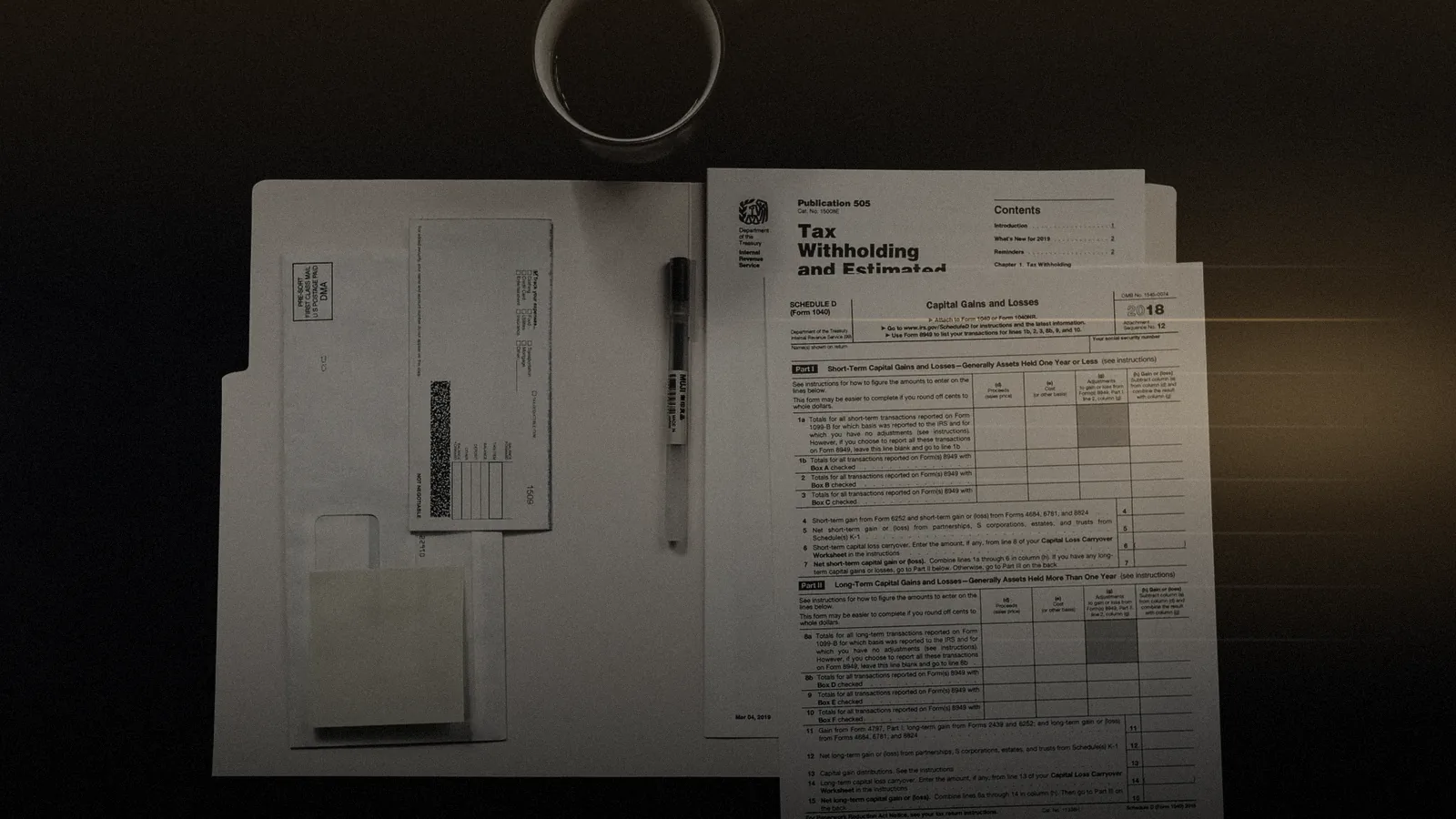
Many requests do not end in a conversation but in a file. Behind a payment there is a decision letter, behind the letter an application, behind the application an invoice.
Checking whether it all fits together means reading. And reading is work that repeats with every case.
Document intelligence takes over the reading and the first comparison. It does not decide. This guide explains when it is worth using, which checks make sense, what stays with people, and how to introduce Semantic² in a manageable pilot.
#When document intelligence pays off
Not every case with paperwork is a good candidate. The benefit is greatest when four conditions come together:
- Recurring: the same document type arrives regularly and in meaningful volume.
- Rule-based: what is correct can be put into rules, such as agreed rates, permitted periods or maximum amounts.
- Comparable: there is a reference to check against, for example a contract or a booking.
- Consequential: an overlooked deviation costs money, time or trust.
Cases where discretion tips the balance, where every case is unique, or where nobody can agree on rules are less suitable. There, a good knowledge base helps more than an automated check.
Typical fields of use fall into three industries. In the public sector it is decision letters, applications and evidence. In insurance it is claims and benefit documents. In healthcare it is invoices from service providers.
What all three have in common is that documents are checked against rules that can be written down, and that checking ties up a lot of reading time today. Document intelligence gives exactly that reading time back to case officers, for the decision itself.
#Which documents
Semantic² reads decision letters, contracts, invoices and the case data, as forms, scans or photos. Which document types count in your deployment is something you decide together in the pilot. Typical combinations look like this:
| Document type | Typical content | Typical check |
|---|---|---|
| Invoice | Line items, quantities, rates, periods | Rate and quantity against the contract, double billing |
| Decision letter | Amounts, periods, assessment basis | Calculation against the application and the rule set |
| Contract | Agreed rates, terms, scope of service | The basis for every other check |
| Evidence | Receipts, certificates, confirmations | Completeness, validity, consistency with what was stated |
| Statement | A provider's services over a period | Comparison with services delivered and booked |
Almost every deployment starts with the contract or rule set. Without a reference, an invoice can be read but not checked.
#Which checks
Reading is not checking. Semantic² compares what it has read with three things: the rules, the contract and what has been booked. Only that combination produces a check that holds.
Rules are written in plain language, for example: "The hourly rate must not exceed the agreed rate." They carry versions, so you can later trace which version applied at which time. A check nobody can explain creates distrust instead of relief.
#What a finding looks like
When a check finds a deviation, a finding is created. It always has four parts: the amount in euros, the rule that was broken, the location in the document and the related booking. All four sit side by side.

Reading a finding requires no faith. The case officer can open the invoice at the stated location, read the rule and call up the booking.
If one of the four parts is missing, the result is not a finding but a hint that needs closer review.
The article What Semantic² reads, and how a finding is made describes the mechanics in detail.
#What stays with people
Semantic² does not book, does not decide and does not send anything. Every finding waits for a person to accept or reject it. Both are actions with a log entry: who, when, and for what reason.
This separation is not a safety net to be removed later. It is the design. The case officer is responsible for the case, so the case officer makes the decision. That includes every question of discretion and of communication with the customer or citizen.
There are legal reasons too. Under Art. 22 GDPR, people have the right not to be subject to a decision with legal effect based solely on automated processing. Genuine human review is more than a click on "confirm".
#Keeping review from becoming rubber-stamping
When a system is right most of the time, people may start accepting findings without looking. A few simple measures counter this habituation:
- Reasons for acceptance and rejection: short, but mandatory. They force a real look and feed the rule upkeep.
- Spot checks: a share of accepted findings is reviewed by a second person.
- Visible uncertainty: values read with low confidence are marked and require a look at the original.
- Feedback to the business side: findings that are often rejected point to a rule that needs sharpening.
This way of working yields an honest metric: the share of accepted findings. It shows how accurate the checks are, measured against real decisions rather than test data.
#One case, worked through
An example makes the steps tangible. A benefits agency receives monthly statements from a service provider that delivers agreed services at agreed hourly rates. The statements arrive partly as PDFs, partly as scans.
Semantic² reads every statement, recognises line items, hours and rates, and remembers where each one sits.
It then compares them with the framework contract and the payments already booked. In one statement, the rate on a line item is above the agreed rate; in another, a period appears that was already billed the month before.
Both deviations appear as findings with amount, rule, source and booking.
The case officer opens the first finding, sees the line in the document with the contract clause beside it, and accepts it. With the second, she finds it is an agreed supplementary charge and rejects it, giving her reason.
The outcome goes back into the case system: one correction, one confirmation. The rejected supplementary charge is a signal to the business side to add an exception to the rule. That is how the checks become more accurate month by month.
#Scanned documents and reading quality
Scans are where document tools can fail silently: a smudged digit, a rotated page, a stamp over the amount. Semantic² marks the location it read and shows it beside the finding. An uncertain reading is therefore visible, not hidden.
If a value cannot be read with confidence, the finding says so. The case officer then checks the original instead of trusting an estimate. That is slower for one case and faster for the whole file, because nobody has to re-check what was read cleanly.
Watch where documents come from during the pilot. Smartphone photos, faxes and copies of copies behave differently from digital originals. Knowing their share helps you interpret the results correctly.
#Writing rules: the business side's job
Semantic² brings the mechanics; the business side brings the knowledge of which deviation matters. Good rules are therefore the most important groundwork for any deployment. They emerge from a short, structured process.
- Collect: which deviations do case officers find today, and which do they tend to miss?
- Phrase: each rule in one sentence that a new colleague understands without explanation.
- Source: name the source of each rule, such as a contract clause, a statute or an internal instruction.
- Test: try the rule on closed cases before applying it to new ones.
- Approve: record version, effective date and owner.
| Rule | Source | Applies to |
|---|---|---|
| Hourly rate at most as agreed | Framework contract, price annex | Invoice line item |
| No service period billed twice | Billing guideline | Invoice and booking |
| Evidence no older than required | Internal instruction | Application and evidence |
Start with a few rules that apply often. A small, well-kept rule group is worth more than an extensive catalogue that nobody maintains.
#Data protection and co-determination
Case documents almost always contain personal data, often of a sensitive kind. Check early whether a data protection impact assessment under Art. 35 GDPR is required. Univerx provides supporting documents and a data processing agreement on request.
Univerx stores data and media in EU regions. Decide how long documents, findings and logs are kept and who may access them. Public bodies handling social data face additional rules, described in the guide Digital citizen service.
Logs of acceptances and rejections also show who decides how quickly and how often. That can make them suitable for monitoring behaviour or performance.
In Germany, this engages works council co-determination under Section 87(1) no. 6 BetrVG, or the equivalent public-sector staff representation law. Involve the works council or staff council before the pilot.
#What to ask of any solution
Whether you are evaluating Semantic² or another tool, a few questions separate dependable document intelligence from a demo. Ask them before you decide.
- Source: does every finding show the exact location in the document, and can it be opened with one click?
- Rules: are the check rules readable, versioned and editable by your business side?
- Uncertainty: are values read with low confidence marked rather than estimated?
- Log: is every acceptance and rejection recorded with person, time and reason, and can the log be exported?
- Data location: where are documents and findings stored, and for how long?
- Control: can individual rules, or the whole check, be switched off at any time?
A solution without a clear answer to any of these questions shifts risk onto your case officers.
#Fitting into the case
Semantic² builds on Univerx AI and task routing. A case with documents is routed like any other contact; the only difference is that the first processing step is a check. Findings land in the same workspace as conversations and tasks.
After the decision, the outcome goes back into the case system, where it is corrected, followed up or confirmed. If the customer or citizen needs to be informed, the reply can run through the Univerx Channel, with a shared view and a signature where needed.
#Getting started: a pilot with one document type
A pilot starts with one document type and one rule group. That is all it takes to see whether reading and checking work on your documents. You bring real cases; Univerx brings the checks.
- Selection: one document type with high volume and clear rules.
- Rules: phrase a small rule group, source it and test it on closed cases.
- Framework: settle roles, logging, retention and co-determination.
- Operation: check new cases, accept or reject every finding, record reasons.
- Evaluation: acceptance rate, reasons for rejection, lead time and value of accepted findings.
There are no figures until after the pilot. How many findings were accepted and what they were worth can only be read from your cases. Promises made in advance would be guesses.
#Roles in operation
Document intelligence changes work in several teams. Clear roles prevent rules from being orphaned and findings from piling up.
| Role | Task |
|---|---|
| Case officers | Review findings, accept or reject them, record reasons |
| Business side | Phrase, source, approve and maintain rules |
| Quality assurance | Spot checks, analysis of rejection reasons |
| Data protection | DPIA, retention, access rights |
| Operations | Connection to the case system and task routing |
Set aside fixed time for the business side to maintain rules, especially in the first months. That is where it is decided whether checks become more accurate over time or go stale.
#Common misconceptions
| Assumption | In fact |
|---|---|
| "The AI decides on payments." | The case officer decides; Semantic² supplies findings with evidence. |
| "We need every rule first." | A small rule group is enough for the pilot. |
| "Scans don't work." | Scans are read; uncertain spots are marked instead of guessed. |
| "A finding is an accusation." | A finding is a verifiable deviation, often with a harmless explanation. |
#Checklist before the pilot
Settle before launch
#Next steps
Document intelligence does not start with technology but with a question to the business side: which deviation would you like to see sooner? Once the answer is clear, the pilot is not far away.
More on Semantic² is on the add-on page.
The article Reviewing claims and benefit documents shows how it applies in insurance. The principles behind AI at Univerx are set out under Responsible AI. If you would like to choose a document type together, book a demo.
Related
View all Guides2 November 2026 · 11 min read
Digital citizen service: identity, documents, case
How councils and agencies resolve requests without broken hand-offs: from first contact through identification, signature and document checks to the reply, with Univerx Channel, Semantic² and a look at social data protection and written-form rules.
 Guides2 November 2026 · 11 min read
Introducing AI agents responsibly
Disclosure, handover, permissions, logging, approval and measurement: what should be settled before an AI agent goes live in customer service – step by step, with a checklist for the project team.
 Guides2 November 2026 · 11 min read
Knowledge management for customer service
Building one knowledge base for people, bots and self-service: what belongs in it, how articles are structured and written, how grounded answers come about, who maintains and approves, and how to tell whether the knowledge holds up.
 Practice & how-to1 November 2026 · 5 min read
What Semantic² reads, and how a finding is made
A finding is not a gut feeling. It has four parts, and each of them can be checked. This is how it is made.
 Health & insurance31 October 2026 · 5 min read
Reviewing claims and benefit documents: where document intelligence helps
Many checks are reading and comparing. Others are weighing up. Document intelligence helps with the first and leaves the second where it belongs.
 Public sector30 October 2026 · 5 min read
Citizen service without broken hand-offs: what has to come together
Broken hand-offs rarely happen in the portal. They happen at the handovers. Four building blocks close them: identity, shared view, signature and case.
 Glossary
Grounding (RAG)
Grounding ties AI answers to verified sources. The common method is retrieval-augmented generation (RAG): first find the relevant content, then answer only from it and name the source.
 Glossary
Hallucination
A hallucination is an AI answer that sounds convincing but is wrong or invented. It follows from how language models work and can be limited, but never ruled out completely.
 Glossary
EU AI Act
The EU's AI regulation classifies AI systems by risk and attaches duties to each class: prohibitions, strict requirements for high-risk AI, disclosure in dialogue. What that means for AI in customer service.
 Glossary
Data protection impact assessment (DPIA)
A data protection impact assessment examines in advance what risks a processing operation poses to the people concerned and how to limit them. In customer service it often applies to analytics, recording and AI.
 Trust & Europe
EU AI Act
AI disclosure in dialogue, human oversight, logging and model approval: Univerx is designed for the duties of the AI Act. Which risk class your use case falls into, we work out together.
 Trust & Europe
Responsible AI
Transparency, human oversight, fairness, privacy and governance: the principles Univerx builds AI on, and the controls that put them to work in AI agents, Univerx Assist and Semantic².
 Trust & Europe
GDPR
Processing under Art. 28 GDPR, documents for your data protection impact assessment, retention and deletion policies and role rights. What exists you receive on request; what is a goal we call a goal.
 Products
Univerx AI: AI that resolves requests and backs up people
AI agents resolve routine requests on the phone and in chat, Univerx Assist supports employees live, Agent Studio governs it all. Plus routing, conversation analytics and knowledge; governance is part of the product.
 Products
Univerx Knowledge
One knowledge base for employees, AI agents and self-service. With semantic search that understands what is meant, and generated answers that rest on your sources and name them.
 Products
Task routing
Back-office tasks are distributed like contacts: applications, forms, follow-up questions and wrap-up work reach the right person by skill, deadline and priority, with workbins and follow-ups.
 Products
Responsible AI
Transparency, human oversight, fairness, privacy and governance for every AI module in Univerx: AI agents, Univerx Assist, conversation analytics, knowledge and Semantic². Principles that work as settings.

See Univerx on your own example.
In a demo we show the platform along your channels and requests, from AI agents to video, workforce scheduling and analytics.
Online, in German or English, with no preparation on your side.